
RelocalizationModule aligns live LiDAR to a saved premap and publishes a world → map transform, so the costmap and planner operate on the live scan and premap together.
Note: Requires DimOS v0.0.13 or newer for PGO loop closure and dimos map export.
This guide takes four steps:
- Record a walk-through with
unitree-go2-memory - Build the premap with
dimos map global {DB_NAME} --export - Test relocalization in replay, no robot needed
- Deploy on the live Go2
{DB_NAME} is the stem of your recording, for example recording_go2 for recording_go2.db. For map_file, pass the same stem and DimOS appends .pc2.lcm automatically.
1. Record a run
Drive the Go2 through the space you want as your premap. Close loops when you can because PGO uses revisits to correct drift.ROBOT_IP is set in the environment or .env, you can omit --robot-ip:
recording_go2.db to the repo root (DIMOS_PROJECT_ROOT) and records lidar, odom, and color_image plus the live TF tree. The recorder stamps lidar frames with the latest odom pose so dimos map global can reconstruct poses later- see Go2Memory.
Quick validation (optional)
Before building a premap, inspect the recording:summary prints stream names and time ranges. replay opens Rerun so you can confirm lidar and odometry look sane.
2. Build the premap
Export a loop-closed global map as.pc2.lcm:
{DB_NAME} accepts a bare stem, ./path/to/file.db, or an absolute path. Bare names resolve in this order:
- Current working directory
DIMOS_PROJECT_ROOTdata/via LFS (get_data)
{DB_NAME}.rrd in Rerun to verify loop closure before deploying to hardware.
3. Relocalize in replay
Test alignment without the robot.unitree-go2-relocalization is unitree-go2 plus RelocalizationModule:
map_file resolves {DB_NAME}.pc2.lcm with the same search order as above (cwd, then project root, then data/).
Reading the logs
relocalize skipped means the live submap is still warming up- fewer than MIN_LOCAL_POINTS points accumulated. relocalize rejected means a candidate alignment was found but its fitness was below the threshold, so no transform is published. Once relocalize: lines appear at info level, the world → map TF is live.
You can replay a different .db from the same physical space against the same premap to test generalization.
Rerun visualization
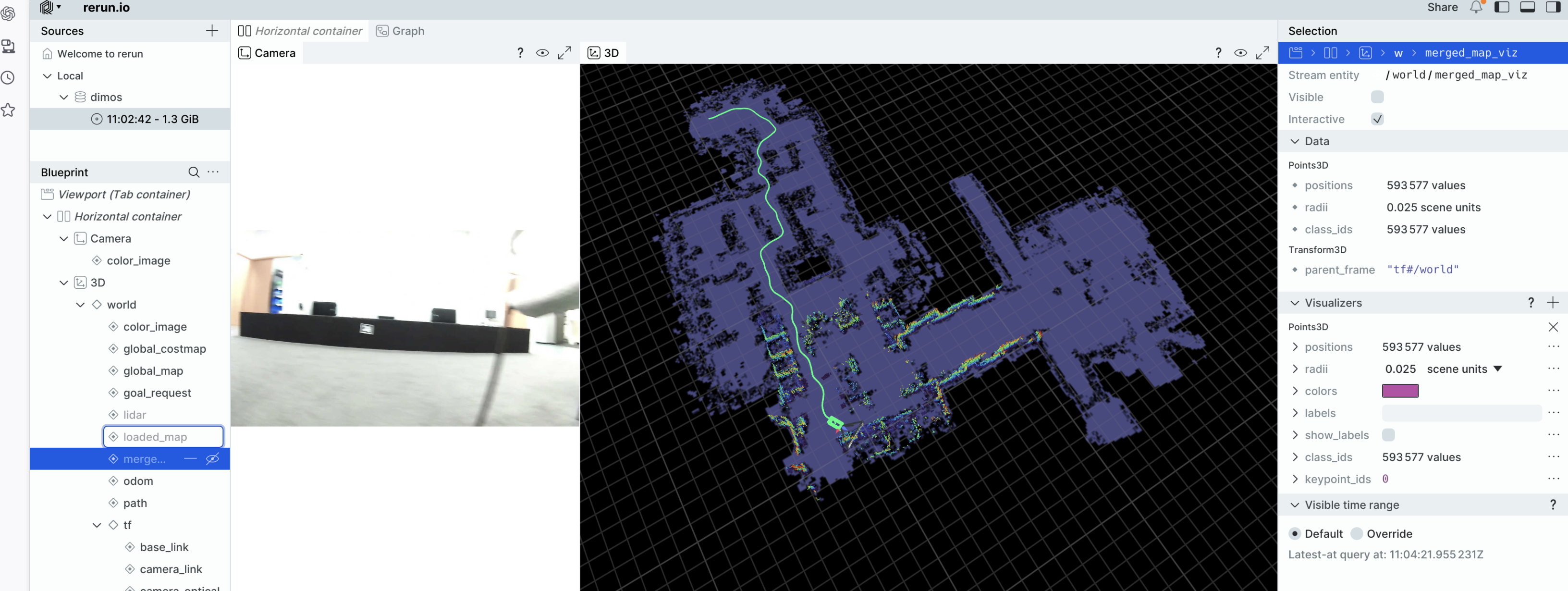
Watch alignment in Rerun, which is enabled by default on Go2 blueprints:- Merged map shows the premap transformed into
worldplus the live scan, column-carved together. - Toggle the merged map entity off to compare the live scan alone against the merged costmap.
4. Relocalize on a live robot
Run the replay test first. On hardware, use the same blueprint andmap_file:
- Place the Go2 in a region that overlaps the premap on the same floor with recognizable geometry.
- Wait for
relocalize:info lines. Skipped and rejected lines are normal for the first 30 to 60 seconds. - Confirm stable
world → mapTF in Rerun before sending navigation goals. - Click to navigate or use agent skills such as
navigate_with_texton the aligned costmap.
How it works
Theunitree-go2-relocalization blueprint is the standard Go2 navigation stack plus RelocalizationModule:

CostMapper builds the costmap from the merged map only while RelocalizationModule has a good alignment; until then it falls back to the live map alone.
File formats
Configuration reference
CLI overrides use blueprint module config (-o relocalizationmodule.<field>=…):
Constants are not overridable via CLI today:
To accept all candidates for visualization only (not for production nav):
Troubleshooting
Related docs
For hardware setup, simulation, and the full blueprint list, see the Go2 platform guide. The v0.0.13 release notes summarize the PGO,dimos map, and relocalization work this guide builds on.